How it works
From sign-up to your first reply.
Morse connects the chat widget on your website to the Telegram group your team already uses. Here’s what happens to a message, and what setting it up looks like.
What happens to a message.
-
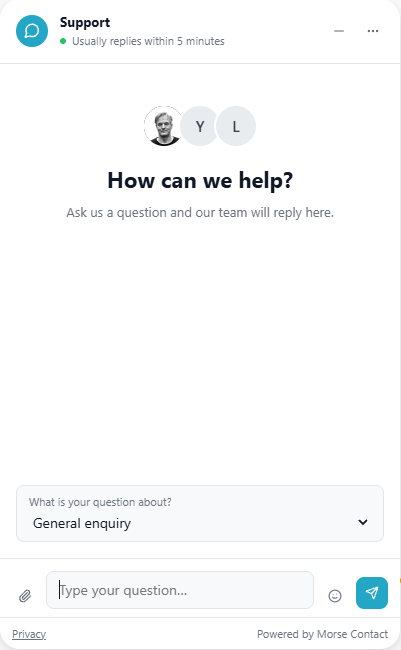
A visitor writes
They ask their question in the widget on your website.
-
A visitor writes
They ask their question in the widget on your website.
-
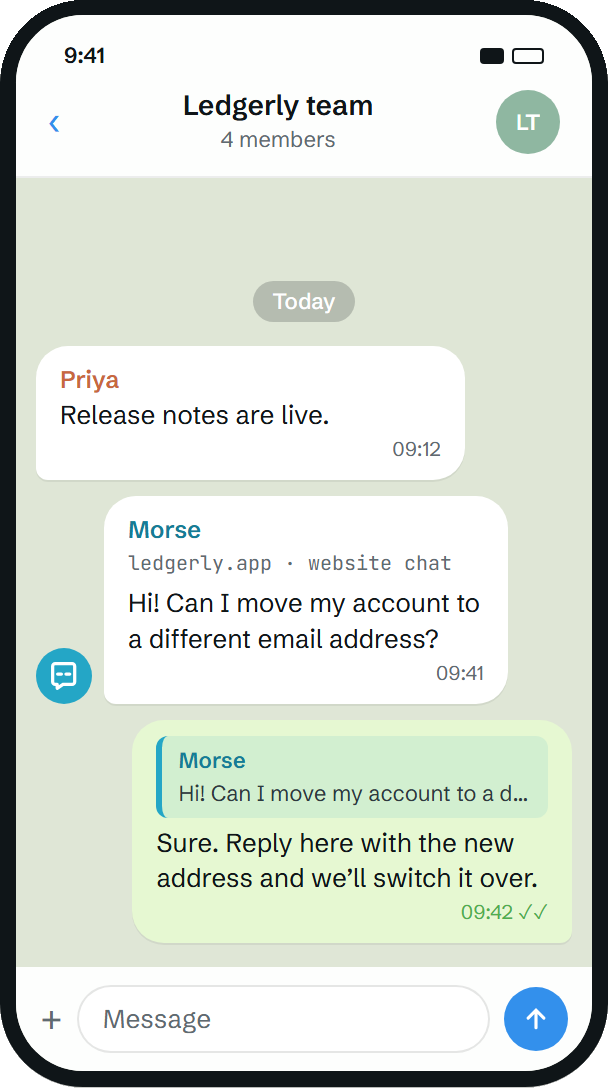
You reply in Telegram
Your answer appears in the visitor’s chat on your website.

Setup guide
Set up in six steps.
No new dashboard to learn. Most of it happens in the tools you already use.
-
Start your trial
Enter your email address and your website’s domain, and add a card. Nothing is charged for 14 days.
-
Check your email
We send you the instructions for installing the widget and connecting your Telegram group.
-
Add the widget to your website
Follow the instructions in the email. The chat widget then appears on your site, ready for visitors.
-
Connect your Telegram group
Link the Telegram group your team already uses. That’s where website conversations will arrive.
-
Send a test message
Open your website, ask something in the widget and reply from Telegram. Now you’ve seen the whole flow work.
-
Make it yours
Set the widget’s colour, name and logo, and the topics visitors can choose from.
You’re live.
Day to day
Once you’re live.

Reply from any device
Telegram runs on Android, iPhone, Windows, macOS and Linux, so your team can answer wherever they are.

Visitors stay on your site
They chat in the widget and read your reply there. They never need Telegram.

Visitors can keep a copy
From the widget, they can email themselves a copy of the conversation.
Try it on your own website.
14 days to test before you pay.